4. Epidemic Model

You will create an epidemic model that simulates the spread of a disease through a population.
Prerequisites
- Navigate to profile, create/rename projects
- Create turtle agents and give them different traits (color/shape)
- Switch between Pages
- Reset the simulation: deleting old turtle agents before creating new ones
- Scatter turtle agents
Learning Objectives
- Describe how to use the "random___" block to assign a trait to a portion of the agent populations and in movement
- Form conditional expressions using comparison operators and "If___" blocks
- Give an example of a trait dependent collision and explain how these are programmed
- Explain how the model accurately simulates an epidemic model
- Construct a line graph of healthy and infected turtle agents
New Terms
Random
New Blocks
Random___ • With _ % chance
Overview
To construct this model, you will need to:
- Create turtle agents in the world.
- Make some of those turtle agents sick.
- Make the turtle agents move.
- Make the disease spread via collision.
- Make a line graph that displays the count of sick and healthy turtle agents.
- Make the turtle agents recover.
- Expand the model and make it your own!
Part 1: Create Healthy Agents
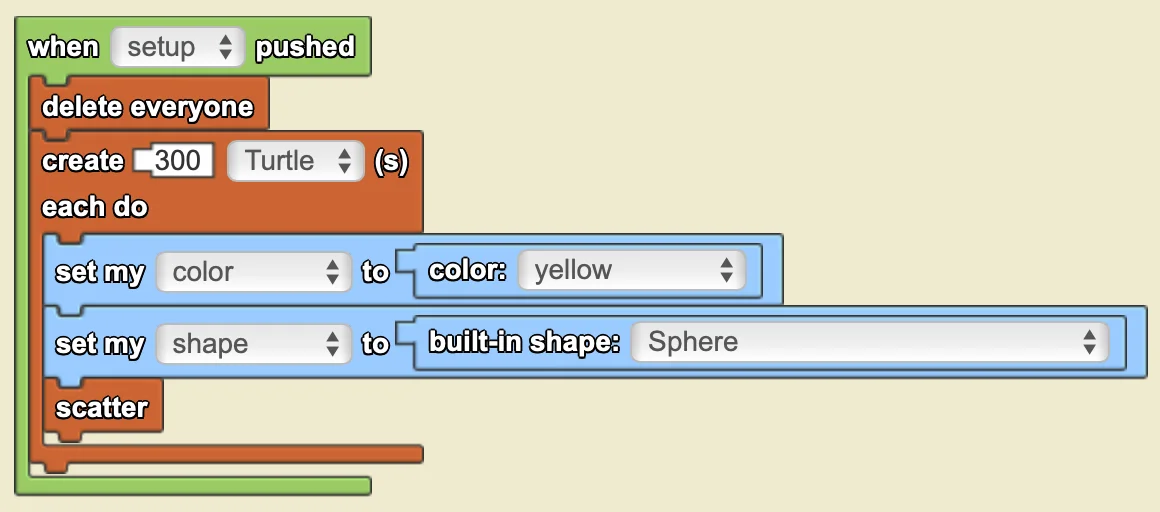
Goal: Create 300 yellow agents which represent the "healthy" population
Steps
- Create a new blank project and rename the project to "Epidemic (Your username)"
- On The World page, create 300 Turtle agents when "setup" is pushed
- Set the agent's color to yellow and shape to sphere
- Scatter all agents when "setup" is pushed
- Delete all old agents when "setup" is pushed
Helpful Coding Blocks
| Block | Drawer | Use |
|---|---|---|
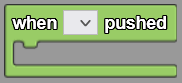 | Interface | Executes the code within the block when a Push Button widget is pushed. |
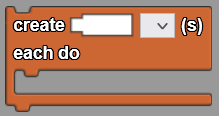 | Agents | Creates a certain number of agents, and each agent executes the commands within the block. |
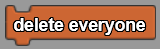 | Agents | Deletes all agents from The World. |
 | Traits | Sets a certain trait of an agent to another value. |
 | Agents | Places an agent in a random location within The World. |
Check your Progress!
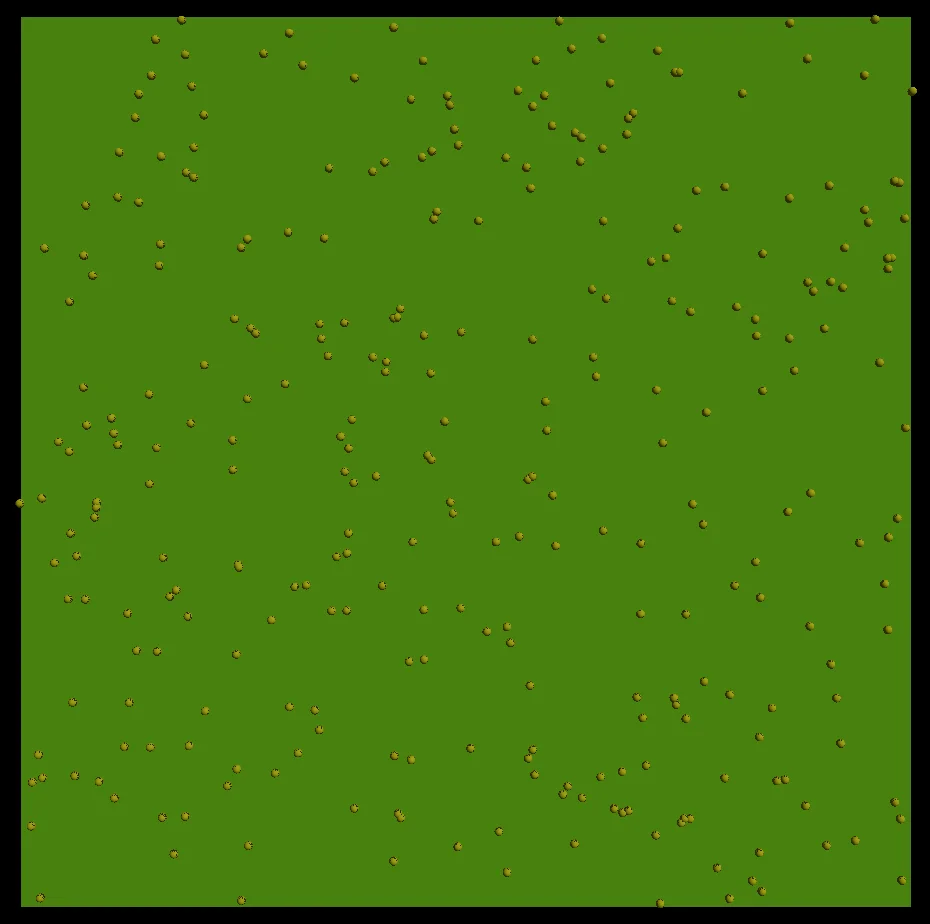
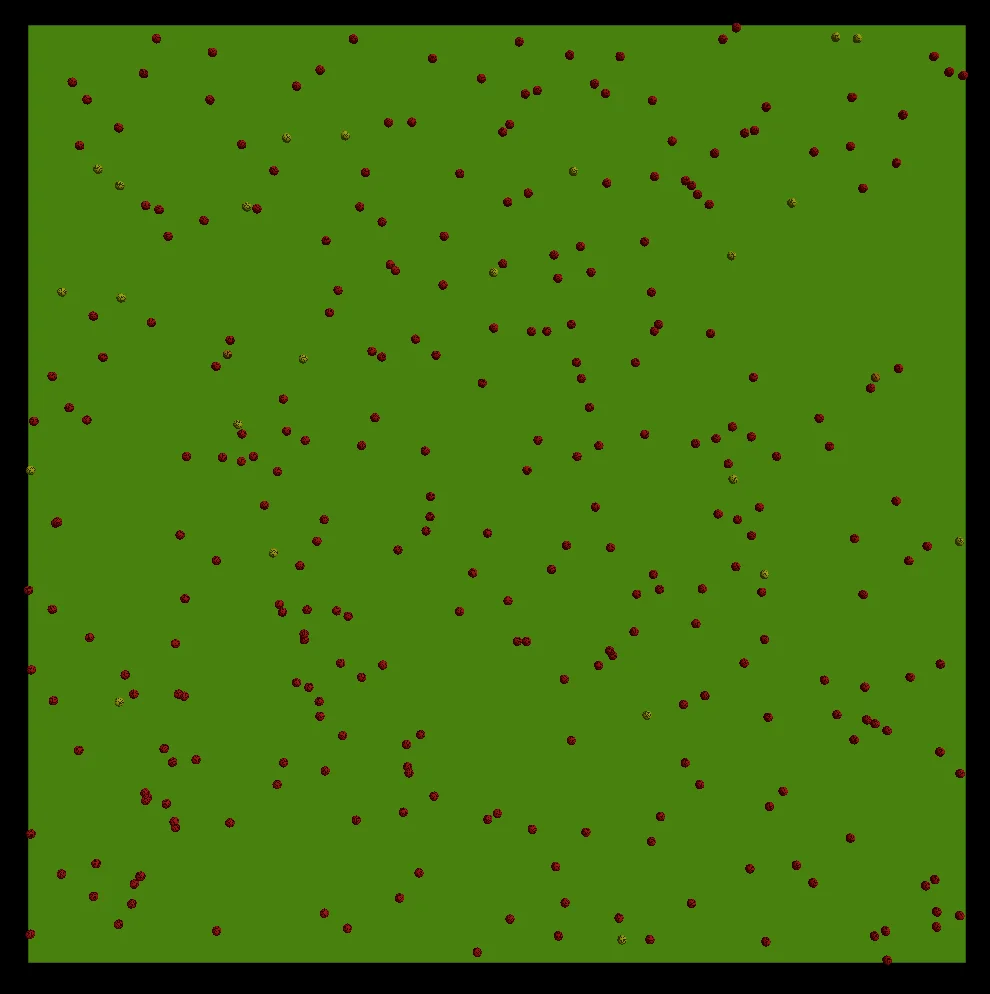
Click run code and setup. You should see 300 agents scattered around SpaceLand.
Show Solution
Part 2: Create Sick Agents
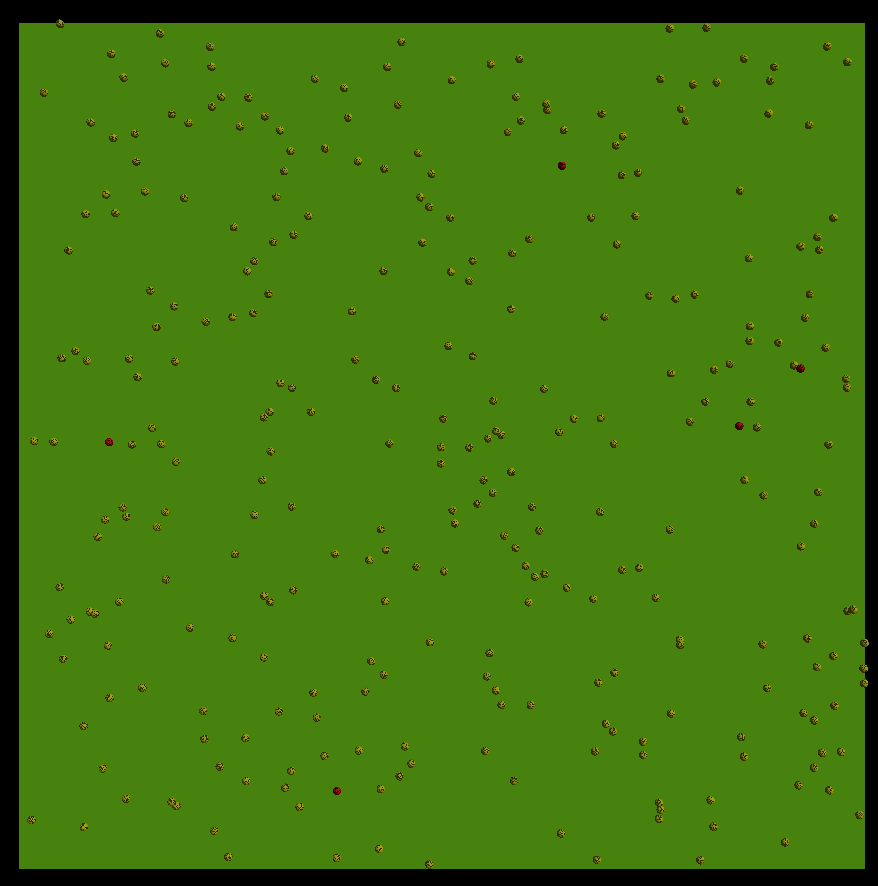
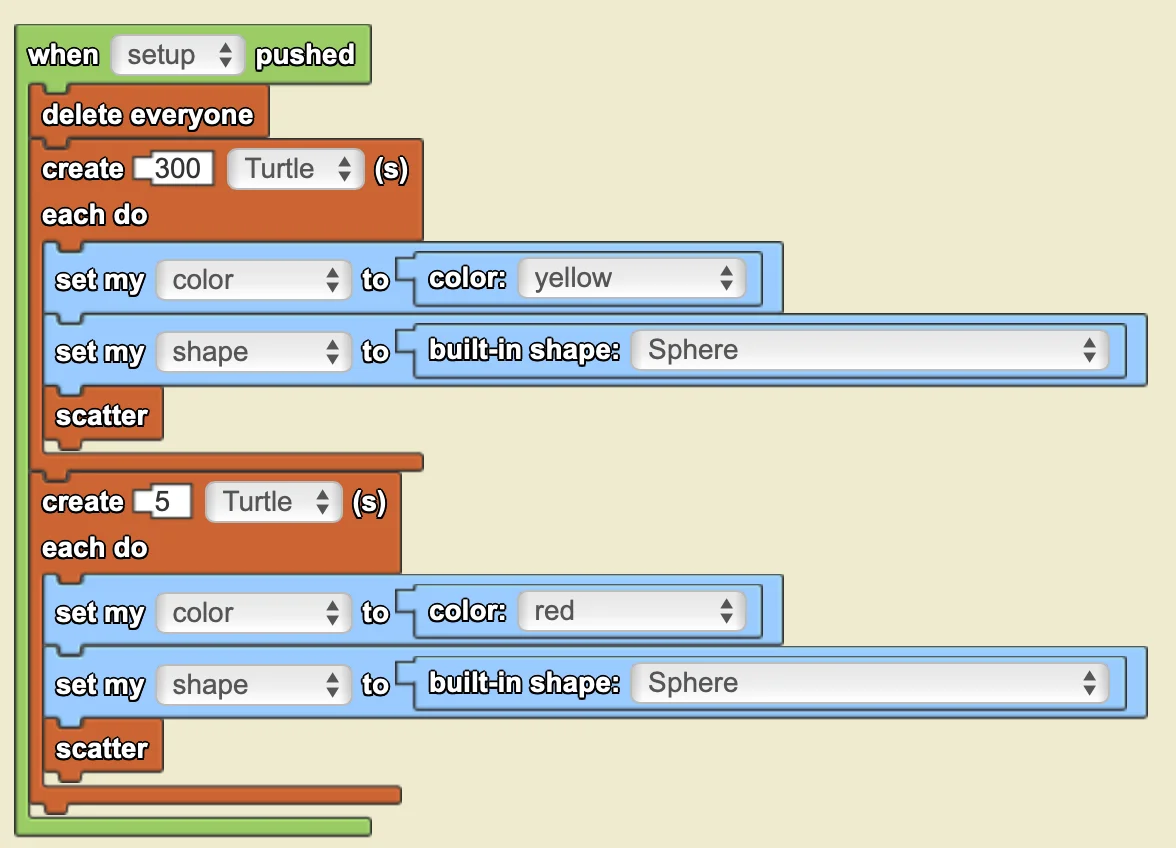
Goal: Create 5 red agents who represent the "sick" population
Steps
- On The World page, create 5 agents who are "sick" when setup is pushed (use same "when pushed _" as previous step)
- Have this be indicated by the color red.
- Set the agent's shape to sphere
- Scatter them
Helpful Coding Blocks
| Block | Drawer | Use |
|---|---|---|
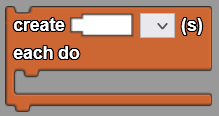 | Agents | Creates a certain number of agents, and each agent executes the commands within the block. |
 | Traits | Sets a certain trait of an agent to another value. |
 | Agents | Places an agent in a random location within The World. |
 | Traits | Creates the specified color. |
Check your Progress!
Click run code and setup. You should see 300 yellow agents and five red agents scattered around SpaceLand.
Show Solution
Part 3: Make the Agents Move
Goal: Make the agents randomly move around SpaceLand
Steps
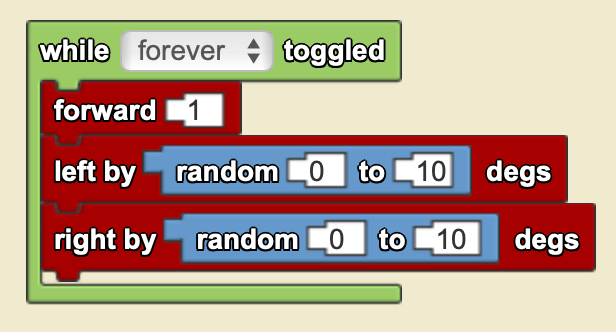
- On Turtle page, while forever is toggled on have the agent:
- Move forward 1
- Move random left between 0 and 10 degrees
- Random right between 0 and 10 degrees
Helpful Coding Blocks
| Block | Drawer | Use |
|---|---|---|
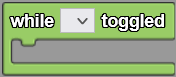 | Interface | Executes the code within the block when a Toggle Button widget is on. |
 | Movement | Moves the agent forward a certain value. |
 | Movement | Turns left with a set number of degrees during each tick. |
 | Movement | Turns right with a set number of degrees during each tick. |
 | Math | Random _ to _ returns an integer between the two values, inclusive. Generates a new random number each time. |
Check your Progress!
Click run code, setup, and forever. You should see the Turtle agents move in a random path around SpaceLand.
Show Solution
Part 4: Make the Disease Spread
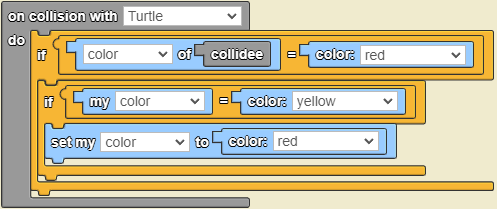
Goal: Program a collision to simulate the spread of the disease by having "healthy" agents turn red when they collide with a "sick" agent
Steps
- On Turtle page, program a collision where:
- If I (the collider) am yellow and the other agent (collidee) is red, then change my color to red
Helpful Coding Blocks
| Block | Drawer | Use |
|---|---|---|
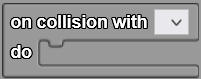 | Detection | Carries out code when an agent collides with another object of choice. |
 | Traits | Sets a certain trait of an agent to another value. |
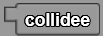 | Detection | Refers to the object that collides into the agent. |
 | Traits | Returns the value of a trait belonging to another agent (such as collidee or my parent). |
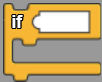 | Logic | Carries out the code within the block if the condition is fulfilled. |
 | Logic | Determines whether the two inputs are equivalent and returns true or false. |
Check your Progress!
Click run code, setup, and forever. You should see yellow agents turn red as they collide with each other.
Show Solution
Part 5: Make a Line Graph to Display Each Population
Goal: Create a line graph widget that counts each population and clear the graph when "setup" is pushed
Steps
- In "edit interface" mode:
- Add a line graph widget to SpaceLand and name it "Population"
- Create two series -- "# of healthy turtles" and "# of sick turtles"
- On The World page, while forever is toggled:
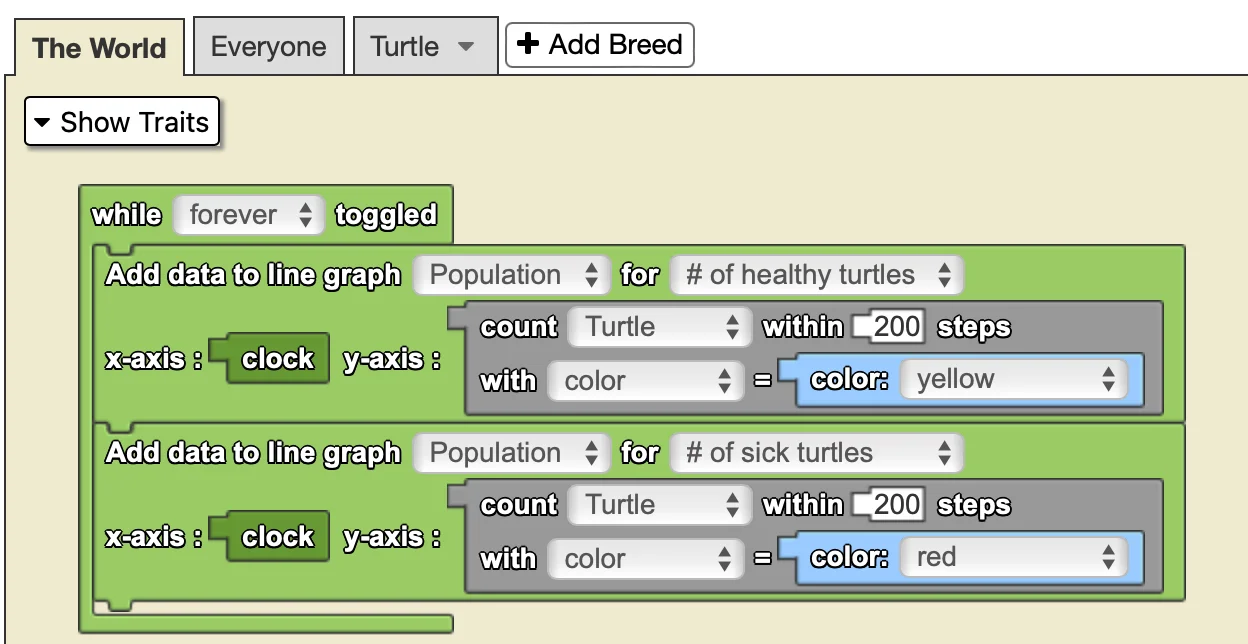
- Have "Population" graph update the "# of healthy turtles" series by counting the amount of yellow agents within SpaceLand
- Make the x-axis the clock and the y-axis "# of healthy turtles"
- Do the same for the "# of sick turtles" series and have it count red agents
- Have "Population" graph update the "# of healthy turtles" series by counting the amount of yellow agents within SpaceLand
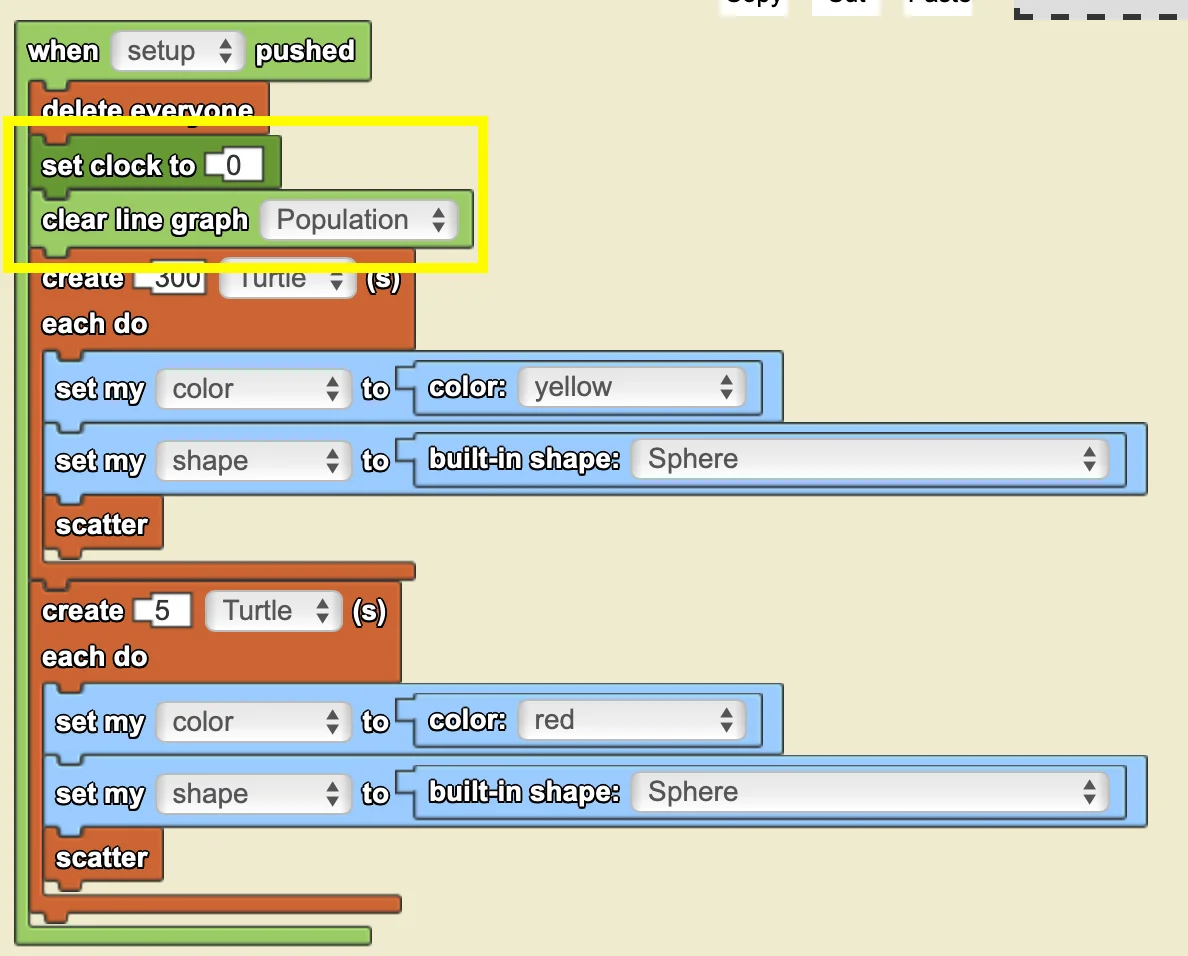
- Program that when "setup" is pushed the clock is set to 0 and the line graph is cleared
Helpful Coding Blocks
| Block | Drawer | Use |
|---|---|---|
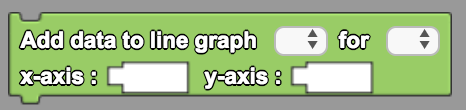 | Interface | Adds data that's made up of pairs of x-coordinates and y-coordinates. |
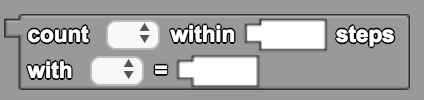 | Detection | Counts the number of agents of a specific breed in a given radius with a specific trait. Use 200 steps to cover the entire terrain. |
 | Traits | Represents a specific color or a color at random chosen from the drop down menu. |
 | Environment | Returns the value of the clock, measured in "ticks". |
 | Environment | Sets the value of clock to some number. Typically, when you reset the clock, you want to start it at 0. |
 | Interface | Removes the existing data on the graph. |
Check your Progress!
Click Run Code, setup, and forever. You should see the line graph updating.
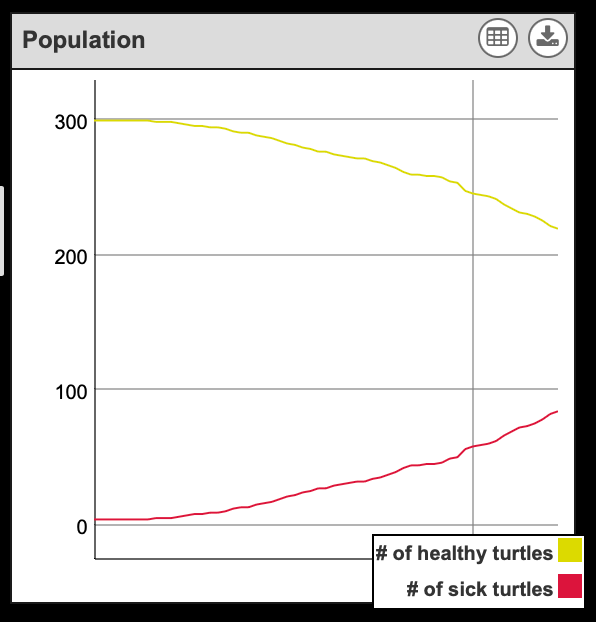
Show Solution
Setup code (The World page):
Graph update code (The World page):
Part 6: Make the Agents Recover
Goal: Program the red agents to have a low chance to change color to blue
Steps
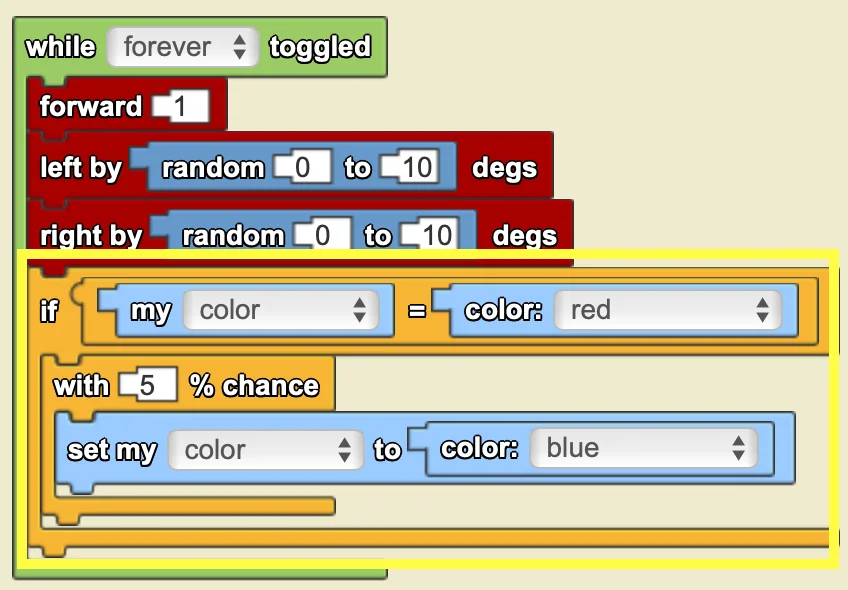
- On the turtle page, in the existing "while _ is toggled" block:
- Program that if an agent is red they have a 5% chance of their color becoming blue
- Blue now represents "immunity" to the disease
- Program that if an agent is red they have a 5% chance of their color becoming blue
Helpful Coding Blocks
| Block | Drawer | Use |
|---|---|---|
 | Traits | Sets a certain trait of an agent to another value. |
 | Traits | Represents a specific color or a color at random chosen from the drop down menu. |
 | Traits | Refers to an agent's own trait. |
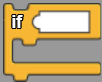 | Logic | Carries out the code within the block if the condition is fulfilled. |
 | Logic | Determines whether the two inputs are equivalent and returns true or false. |
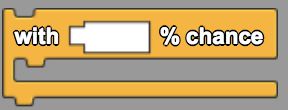 | Logic | Runs the commands attached to the hook randomly with a certain percent chance each time the block is run. |
Check your Progress!
Click run code, setup, and forever. You should see red agents change their color to blue.
Show Solution
Part 7: Extensions
Come up with a question to investigate or just tinker with the existing model. Note that the suggestions in the list below tend to progress from easier tasks to harder tasks. Some of them also require you to learn to use new blocks that haven't been introduced yet. You are also welcome to come up with your own extensions and just explore/try things on your own.
- Change set up conditions: % immune, % infected
- Change recovery probability -- e.g., how does lowering it (turtles take longer to recover) affect the spread of the disease?
- Represent masking or handwashing: during a collision with a sick turtle agent, program there to be a reduced chance that a healthy turtle agent will get sick.
- Vary the recovery probability -- perhaps some percentage of the population recovers quickly while others take longer to recover.
- Vary how likely a turtle will get sick -- perhaps some percentage of the population are more susceptible than others.
- Add a vaccination center (new breed) that makes turtles immune when they collide with it. Do all turtles need to be vaccinated to stop the spread of the disease?
- Add doctors (new breed) that can "cure" sick turtles. If you've already done Paintball, you can program keyboard controls to move one of the doctors and to "shoot" vaccines at turtles.
- Which factor seems to slow the spread of the disease the best?
Copyright 2024 MIT Scheller Teacher Education Program. Distributed under Creative Commons license CC BY-NC 4.0.